Consistent Finance Headshot Style for CFOs, Advisors and Teams
%20(1)%201.png)
.png)
.png)
September 15, 2026
%20(1).jpg)

If your organization needs strict governance, multi-step approvals, and a connector ecosystem that spans your entire martech stack, Bynder is the stronger shortlist candidate. If your priority is fast adoption, per-asset analytics, and a platform your creative and marketing teams will actually use without heavy IT involvement, Brandfolder is where to start your demo.
Both are premium, quote-only digital asset management (DAM) platforms. Neither publishes a public rate card. Third-party reviews rate them closely overall, so feature fit, not aggregate score, is what should drive your decision.
Two immediate next steps:
regional legal review, marketing sign-off, and channel packaging in sequence.
Bynder is an enterprise DAM built around governance. Its core value proposition is control: enforced brand standards, multi-step approval chains, audit trails, and a connector ecosystem with over 130 integrations spanning CMS platforms, PIMs, creative tools, and CDNs. The ideal Bynder buyer is a large enterprise with distributed teams, regulatory exposure, or a brand governance mandate that requires documented approval workflows. Think global CPG brands, financial services firms, or healthcare organizations where the wrong asset going out the door is a compliance event, not just a brand inconsistency.
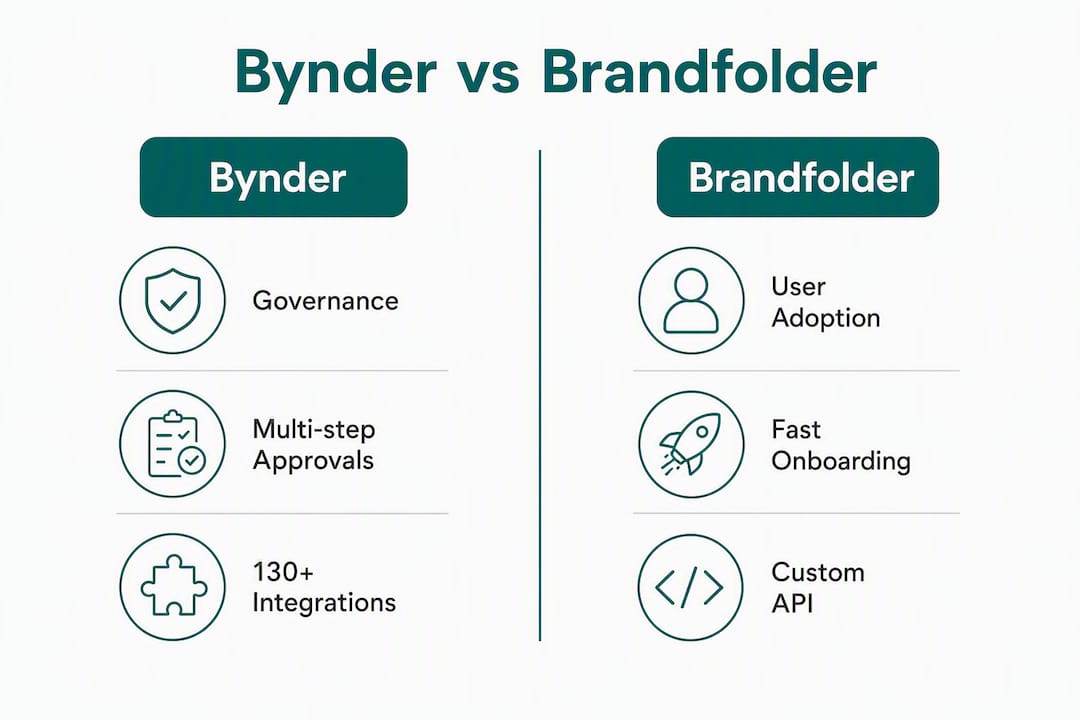
Brandfolder is a DAM optimized for discoverability and adoption. Its standout capability is Brand Intelligence, a per-asset, per-share analytics layer that shows which assets are actually being used, by whom, and where. After its acquisition by Smartsheet, Brandfolder also benefits from tight project management integration. The ideal Brandfolder buyer is a marketing or creative team that needs fast time-to-value, strong visual search, and the ability to prove asset ROI to leadership.
Who should consider each:
Both platforms sit in the premium tier of the digital asset management tools market. Expect enterprise contract minimums and implementation timelines that typically take multiple weeks.

| Dimension | Bynder | Brandfolder |
|---|---|---|
| Best for | Governance-first enterprises, regulated industries, complex approval chains | Marketing/creative teams prioritizing adoption speed and asset analytics |
| Core DAM features | Asset ingestion, rich metadata, taxonomy, AI tagging, renditions | Asset ingestion, visual search, AI tagging, Brand Intelligence analytics |
| Search & AI | AI-powered search with metadata-driven filtering | Visual search, AI tagging, strong discoverability focus |
| Workflows & approvals | Multi-step conditional routing, audit trails, version control | Lighter approval workflows; stronger on sharing and distribution |
| Metadata & taxonomy | Deep, customizable metadata schemas | Flexible metadata; optimized for findability over governance |
| Creative ops / templating | Brand templates, creative workflow modules | Templating available; tighter Smartsheet project alignment |
| Integrations & ecosystem | 130+ connectors (CMS, PIM, Adobe, CDN, analytics) | Smartsheet-native; solid third-party integrations, fewer total connectors |
| Security & compliance | SOC 2 Type II, SSO, SCIM, encryption at rest and in transit | SOC 2 Type II, SSO, enterprise-grade security controls |
| Scalability | Built for large, distributed global enterprises | Scales well; strongest for centralized or regionally distributed teams |
| Ease of use | Higher admin complexity; steeper learning curve | Faster onboarding; more intuitive daily-user experience |
| Onboarding timeline | 6–12+ weeks for structured rollout | Faster time-to-value; lighter implementation lift |
| Support model | Professional services, dedicated CSM, enterprise SLAs | Professional services, Smartsheet ecosystem support |
| Pricing model | Quote-only, modular | Quote-only, modular |
High-impact feature differences worth calling out:
Pro Tip: During your demo, bring 50–100 real assets from your library and run the queries your team actually uses. Ask each vendor to demonstrate a search for an asset you know exists but that has inconsistent metadata. That single test reveals more about real-world findability than any feature matrix.
Neither Bynder nor Brandfolder publishes a public rate card. Both use quote-only, modular pricing where add-on modules for creative workflow, templates, and analytics can multiply the base license price significantly.
The more important number for procurement is total cost of ownership (TCO), not the license fee. Implementation, customization, and training often exceed the first-year license cost for enterprise DAM deployments. Plan your budget accordingly.
Typical TCO drivers to scope before contracting:
Conservative onboarding timeline estimate: Allow 8–16 weeks from contract signature to full go-live for Bynder. Brandfolder can move faster, but a realistic pilot-to-production timeline is still 4–8 weeks when integration and migration are included.
Negotiation levers: Ask for a fixed-fee implementation cap, a storage overage grace period in year one, and a pilot clause that lets you validate adoption metrics before committing to a multi-year term.
Integration fit is often the deciding factor in enterprise DAM procurement, and it is the area where Bynder and Brandfolder diverge most clearly.
Bynder leads on connector breadth. Its 130+ integrations cover the major CMS platforms (WordPress, Drupal, Sitecore, Contentful), PIMs (Akeneo, Salsify), creative tools (Adobe Creative Cloud, Figma), CDNs, and analytics platforms. For enterprises running complex martech stacks, this breadth reduces the custom development burden significantly.

Brandfolder has a tighter but well-designed ecosystem, with its strongest native integration being Smartsheet. If your marketing operations team already runs projects in Smartsheet, the alignment between asset management and project workflows is a genuine operational advantage. Brandfolder also connects to major creative and productivity tools, though its total connector count is lower than Bynder’s.
Integration readiness checklist for demos:
For enterprises with a proprietary CMS or a legacy PIM, budget for custom API work regardless of which platform you choose.
Security validation is non-negotiable for enterprise procurement, and both Bynder and Brandfolder meet the baseline expectations for large organizations. The question is not whether they are secure, but whether their specific controls match your IT and legal requirements.
Trust signals to request from both vendors:
On data residency: U.S.-based enterprises in regulated industries (healthcare, financial services, government contracting) should confirm that data residency is contractually guaranteed, not just a default setting. Ask whether your data can be stored exclusively in U.S. data centers and whether that is enforceable in the MSA.
Security callout: A vendor’s marketing page saying “SOC 2 compliant” is not the same as providing the actual SOC 2 Type II audit report. Request the report directly and have your IT security team review the exceptions section, not just the opinion letter.
This is where the two platforms diverge most practically for procurement timelines.
Bynder implementations commonly require multiple weeks for a structured rollout. That timeline reflects the platform’s depth: configuring metadata schemas, building approval workflows, setting up permission structures, and connecting integrations all require dedicated project management. The stakeholders who need to be in the room from day one include IT, brand operations, creative operations, and legal (if approval workflows touch compliance). Underestimating this coordination is the most common reason Bynder implementations run over timeline and budget.
Brandfolder moves faster. Its interface is more intuitive for daily users, and the admin configuration is lighter. Marketing teams can often reach a functional state within a few weeks, though full integration and migration still require structured project management.
Admin and user complexity differences:
Pro Tip: Before you sign, run a two-week role-based pilot with three user types: a brand admin, a creative contributor, and a read-only external partner. Measure how many support requests each role generates. That number predicts your post-launch change management burden more accurately than any vendor-provided adoption statistic.
Industry analysts consistently recommend matching your buying trigger to platform DNA: governance engines require internal process maturity to deliver their value, while adoption-first platforms reward organizations that prioritize usage and asset ROI.
Choose Bynder if:
Choose Brandfolder if:
Decision rubric: five procurement signals
When neither is ideal: If your organization is below 250 employees, has fewer than 10,000 assets, or lacks a dedicated brand operations function, both platforms may be over-engineered for your current needs. Consider piloting a lighter DAM before committing to an enterprise contract, or use the pilot to build the internal process maturity that makes a governance-first platform worth its implementation cost.
A structured evaluation process protects procurement from signing a contract based on a polished demo rather than real operational fit.
Scoring checklist (score each dimension 1–5 during demos):
Demo and RFP questions to ask live:
Red flags to escalate before contracting:
Transparency on methodology matters when procurement decisions involve multi-year contracts and significant implementation investment.
Primary sources used:
How feature parity and TCO estimates were derived: Feature assessments reflect published documentation, third-party review aggregation, and practitioner-reported implementation experiences. TCO estimates are directional, not contractual, and vary based on organization size, module selection, and integration complexity. No vendor paid for placement in this comparison.
Limitations: Neither vendor provided proprietary pricing data for this analysis. All cost estimates should be validated against your specific quote. Feature availability may vary by contract tier. Run a pilot with your own assets before contracting, since practitioner guidance consistently identifies the pilot as the most reliable validation method.
The fastest way to derail a DAM pilot is to feed it a disorganized asset library. Poor file naming, missing metadata, and inconsistent resolution standards force manual tagging, slow AI search accuracy, and inflate professional services costs. studio2U’s corporate photography and video production process is built to deliver assets that go straight into a DAM without remediation.
Migration readiness checklist:
How properly prepared assets accelerate your pilot:
When assets arrive with consistent naming, embedded metadata, and correct resolution, AI tagging engines in both Bynder and Brandfolder perform more accurately from day one. Search results are cleaner, automated collections populate correctly, and Brand Intelligence analytics in Brandfolder reflect real usage patterns rather than ingestion artifacts.
Pro Tip: Ask studio2U to include slate data and usage rights metadata in the delivery package for any shoot you plan to migrate into a DAM pilot. That single step eliminates the most common cause of manual remediation work during ingestion.
Bynder suits governance-first enterprises with complex approval chains and broad integration needs, while Brandfolder delivers faster adoption and per-asset analytics for marketing and creative teams.
| Point | Details |
|---|---|
| Governance vs. adoption | Bynder fits regulated, governance-heavy enterprises; Brandfolder fits teams prioritizing speed and asset ROI. |
| TCO reality | Implementation and professional services can exceed the license fee; scope the full module list before comparing quotes. |
| Onboarding timeline | Bynder typically requires 6–12+ weeks for a structured rollout; Brandfolder reaches functional state faster. |
| Pilot before contracting | Run a two-week role-based pilot with real assets and realistic approval scenarios to validate governance and adoption claims. |
| studio2U asset readiness | studio2U delivers metadata-ready photography and video assets that reduce DAM migration friction and accelerate pilot timelines. |
The most common mistake is treating a DAM selection as a feature procurement exercise rather than an organizational change management project. Procurement teams spend weeks comparing metadata schema depth and connector counts, then sign a contract without asking who will own the platform on day 61 of the implementation.
Bynder’s governance capabilities are genuinely powerful. But governance automation only works when your internal processes are already documented and enforced. If your approval chain currently lives in email threads and Slack messages, a multi-step conditional routing engine will not fix that. It will expose it, loudly, during implementation. The organizations that get the most from Bynder’s workflow depth are the ones that mapped their approval processes before they started the demo, not after.
Brandfolder’s adoption advantage is real, but it comes with a different trap. Fast onboarding can create a false sense of completion. Teams get assets uploaded, search works, and leadership declares success. Six months later, the library has grown without governance, metadata is inconsistent, and the Brand Intelligence analytics are showing that 80% of downloads come from three folders. The platform did not fail. The content strategy did.
The procurement signal that matters most is not which platform has more features. It is whether your organization has the internal capacity to sustain the platform you choose. A governance-first DAM with an under-resourced brand ops team will underperform a simpler platform with a dedicated admin. A pilot that includes a realistic conditional approval scenario, run with your actual stakeholders, will surface that gap before you sign a three-year contract.
One pattern worth noting: teams that change their final vendor decision after a structured pilot almost always do so because the pilot revealed an internal process gap, not a platform gap. That is the most useful thing a pilot can tell you.
The gap between a DAM contract and a successful go-live is almost always an asset problem, not a software problem. Teams arrive at their pilot with inconsistent photography, missing metadata, and video files that do not match their codec standards. The platform gets blamed. The real issue is the content.

studio2U produces corporate photography and video assets built for DAM ingestion from the first delivery. On-site shoots at your office or event location, five-day turnaround, consistent file naming, embedded usage rights metadata, and resolution standards matched to your DAM’s requirements. Whether you are piloting Bynder’s approval workflows or testing Brandfolder’s Brand Intelligence analytics, your pilot performs better when the assets going in are clean.
For enterprise teams preparing a DAM migration or running a procurement pilot, studio2U can deliver a sample asset package with metadata templates included. Visit studio2uheadshots.com to scope a pilot asset bundle for your DAM evaluation.
Use these sources to validate vendor claims, draft RFP language, and benchmark feature expectations before contracting.
A note on using these sources: For any claim that materially affects your procurement decision, including SLA terms, SOC 2 status, integration availability, and data residency, request vendor-specific documentation directly. Third-party comparisons reflect publicly available information and reviewer experience; they do not substitute for the actual MSA, security audit reports, or integration runbooks your legal and IT teams need to review before signing.
