On-Camera Coaching for Executives: A Practical Guide
%20(1)%201.png)
.png)
.png)
September 3, 2026
%20(1).jpg)

A client story video is a short, narrative-driven film that shows a real customer’s before, turning point, and result, and is built to earn trust faster than any sales deck. Use one when you need social proof that actually moves a buyer, not just a logo wall. Typical output from one shoot: a hero cut for your homepage or sales deck, plus a handful of short social edits pulled from the same footage.
TL;DR:
- Client story videos are most effective when produced as a library of content, enabling reuse across multiple channels and assets.
- Full narrative format videos are best reserved for high-impact uses like homepage features or flagship case studies, rather than quick social clips.
- Effective storytelling begins with selecting a target customer who has specific, recent outcomes, and conducting longer interviews to extract sharable lines.
- Location choices with real product in use, along with proper lighting and backup equipment, significantly enhance the visual credibility of the shoot.
- Track view-through, click-through, and pipeline speed for different video cuts to measure success, with quick A/B tests providing the clearest insights.
A prospect reading a case study has to imagine the tone, the hesitation, the relief. A prospect watching a client story video sees all three. Facial expressions, pauses before an honest answer, the specific way someone describes a problem they had, none of that survives translation into bullet points. Here Now Films points out that narrative structure paired with on-location B-roll creates emotional resonance a written case study simply cannot replicate.
That emotional lift does real work in a sales cycle. When a prospect watches someone who looks and sounds like them describe the same problem they’re facing, they stop evaluating your product in the abstract and start picturing their own outcome. That shift, from “does this work” to “this could work for us,” is what actually shortens a sales cycle.
Not every claim needs a full story film. Quick testimonial clips work fine for filling out a social feed or padding a proposal. Save the full hero-style production for your highest-leverage moments: a homepage, a fundraising deck, a flagship case study you’ll reuse for a year.
Statistic to know: VideoFrog’s guide to testimonial conversion found that videos built around a specific obstacle and outcome, rather than generic praise, consistently outperform vague endorsements on watch-through and conversion.
Different formats prove different things, and picking the wrong one wastes a good customer story. Teleprompter breaks the menu into a few reliable categories worth knowing before you book a shoot.
The real ROI move is treating one shoot as a library, not a single deliverable. A customer story page like Ludus’s onboarding testimonial shows how a single narrative can anchor a page while shorter cuts feed other channels.
Recruit the right subject first. You want someone who represents your actual target buyer, has a measurable outcome you can name, and is willing to be specific rather than diplomatic. Timing matters just as much: ask right after a milestone (renewal, a big win, a launch) while the details are still fresh, not six months later when the story has flattened into generalities.
VideoTestimonials’ collection of 37 tested interview questions sequences questions to move from opener to problem to solution to results, which is the structure worth stealing for your own shoot:
Plan for a session long enough to allow the best lines to emerge, typically more than a brief conversation, once the subject relaxes. Get a signed release before you roll camera, and always record backup audio on a second device.
Pro Tip: Treat the interview like you’re gathering research, not collecting an endorsement. Subjects who feel like they’re being interviewed for a story give sharper, more specific answers than subjects who feel like they’re being asked to say something nice.
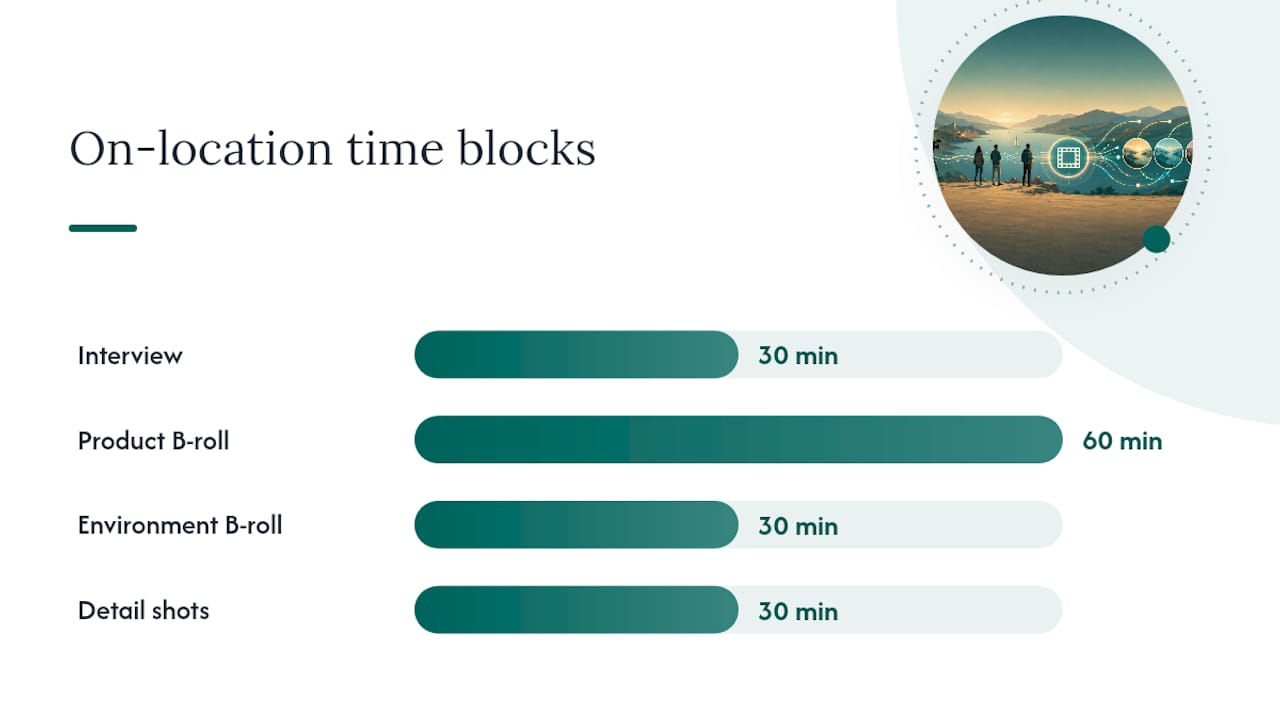
Location choice does half the storytelling work before anyone says a word. A desk covered in the actual product, a shop floor, a live demo environment, these give you visual proof a plain office backdrop never will.
Here Now Films recommends blocking two to three hours specifically for B-roll on a customer story shoot, since the finished film gets built in the edit, not on shoot day.
| Shot type | What to capture | Time block |
|---|---|---|
| Interview | Subject on camera, static frame | 30 min |
| Product B-roll | Product or tool in active use | 60 min |
| Environment B-roll | Team, workspace, context shots | 30 min |
| Detail shots | Hands, screens, close-ups for cutaways | 30 min |
The strongest edits follow a repeatable structure: cold open on the best line, then before, hesitation, after, advice, and a closing ID slide. VideoFrog’s editing guidance stresses cutting pauses and false starts without rearranging speech into something the subject didn’t actually say.
Each channel needs its own cut, not a resized version of the hero file. Social edits need captions burned in and a hook in the first five seconds, since most viewers decide whether to keep watching before that point. A tool from our roundup of AI video editors can speed up that repurposing work considerably.
Track a small set of numbers instead of drowning in dashboard noise: view-through rate, click-through on the CTA that follows the video, conversion lift on the landing page it sits on, and whether deals that watched it move through pipeline faster.
Run simple A/B tests to settle real questions. Test the video against a static case study on the same landing page. Test two different cold opens against each other. The data will tell you more than any opinion in a meeting.
Worth tracking: completion rate and click-through on the CTA immediately after the video are the two numbers that predict whether a story video is pulling its weight in a sales enablement context like B2B testimonials.
Every Studio2U project starts with discovery, not a camera. That means identifying who to interview, the exact outcome you want proven, and what B-roll opportunities actually exist at your location before anyone books a flight.
The goal is minimal disruption on shoot day and a finished library that supports marketing, sales, and fundraising conversations for months afterward, not just a single homepage clip.
Three mistakes come up constantly: over-scripting subjects until answers sound rehearsed, skipping B-roll because “we’re short on time,” and shooting only a hero cut with no plan for smaller edits. Fix all three before shoot day. The best payoff comes when an interview is planned for repurposing into multiple clips rather than a single use. For internal approvals, show a rough cut early. Nobody argues with a real customer on camera.
— Kevin
A practical alternative to piecing together a story video with a freelancer for every shoot is a discovery-led production with an on-location team that comes to your office or event, delivering a package built for reuse: hero cut, social edits, and pull-quote clips from one shoot day.

If you’re planning a client story video, a founder story, or an ongoing testimonial program, the next step is simple: reach out through studio2U’s site to talk through your subjects, your locations, and your timeline, and get a sense of what a discovery-led shoot would look like for your team.
A strong example follows a single customer through a specific problem, the moment they chose a solution, and a measurable result, usually running 60 to 90 seconds for the main cut with shorter versions for social.
A storytelling video uses a narrative arc, a beginning, a turning point, and a resolution, rather than a list of features or benefits, to make a message memorable and emotionally credible.
A customer story typically shows a client describing life before your product, the decision point that changed things, and the outcome afterward, often paired with B-roll of the product or service in actual use, as seen in Ludus’s onboarding customer story.
A promotional video usually pushes a specific offer, product launch, or event, focusing on urgency and features, whereas a client story video focuses on one real customer’s experience to build trust rather than push immediate action.
A hero cut typically runs 2 to 4 minutes for a website or sales deck, while social versions run 15 to 90 seconds depending on the platform.
