One-Day On-site Headshots: Templates & Proofs for Corporate Organizers
%20(1)%201.png)
.png)
.png)
July 28, 2026
%20(1).jpg)

An event highlight video is typically a succinct, cinematic summary of essential moments (commonly 60–90 seconds) designed to capture the event’s pulse—key announcements, crowd energy, and speaker takeaways. For social platforms, cut that hero down to shorter versions optimized for TikTok, Instagram Reels, and LinkedIn. The one-line production plan: capture stage moments, crowd reactions, and short attendee interviews on-site, then assemble a 60–90 second hero recap and export platform-specific versions within 48 hours. That 48-hour window matters more than most organizers realize. According to ngram, recaps posted soon after an event pull significantly more engagement than recaps posted weeks later. Studio2uheadshots builds exactly this kind of content engine on-site at corporate events, delivering polished hero recaps and social cutdowns with a five-day turnaround. The goal is simple: get the footage, get it edited, and get it live while the buzz is still hot.
How do you plan the shoot and set realistic turnaround expectations?
How should you structure the edit to hook viewers and drive conversions?
How do you direct interviews during the event to get authentic soundbites?
Why highlight videos are the most underused asset in event marketing
The best way to develop your creative instincts is to study what already works. YouTube is the richest free library for this. Search for “[Event Name] highlight reel” or “[Conference Name] recap 2025” and you will find hundreds of examples across every event type. Curate a playlist of five to ten reels that match your event’s energy and use them as a brief when working with your editor or vendor.
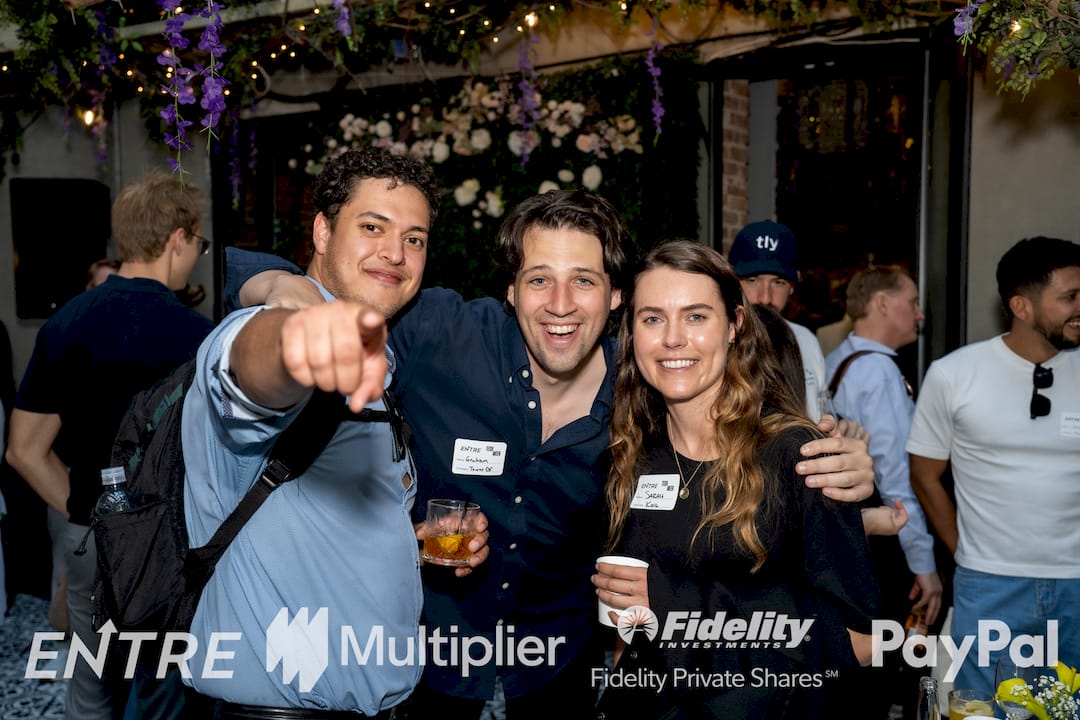
Four event types produce the most instructive examples:
| Event Type | What to Study | Key Technique to Copy |
|---|---|---|
| High-energy conference | Opening crowd shots, speaker excerpts | 3–7s hook, fast cuts on applause |
| Festival / experiential | B-roll-driven atmosphere, music-first edit | Let visuals carry the story |
| Product launch | Demo footage + audience reaction | Cut demo to the “wow” moment |
| Awards night | Winner reaction + montage | Emotional close-up + music swell |
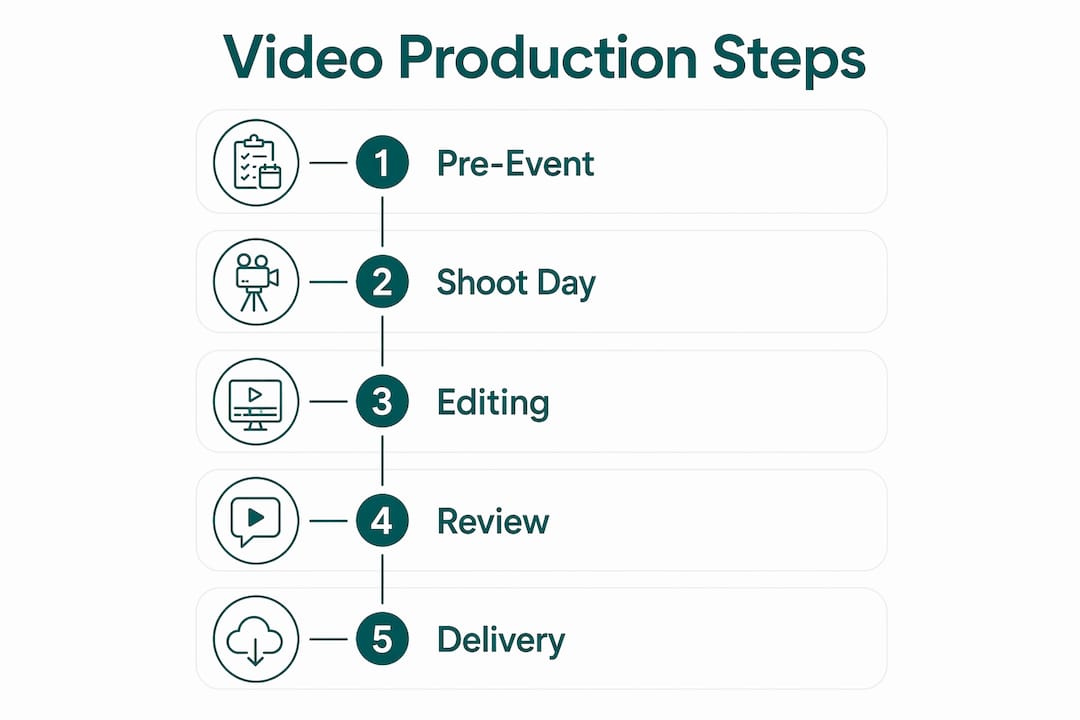
Envato Elements is the fastest shortcut for production teams that need polished motion graphics without building from scratch. Its library of editable highlight video templates covers lower-thirds, animated intros, and outro frames that you can drop into Adobe Premiere Pro or Final Cut Pro and brand in under an hour.
When you watch reference reels, look for these repeating patterns: a hook in the first three to seven seconds (a striking visual or a quotable line), name and title lower-thirds that appear on every speaker, music tempo that accelerates into crowd reaction moments, and a final frame with a CTA or next-event date. Those are the structural moves worth copying.
A strong event recap video is only as good as the raw footage it draws from. Walk into the event without a shot list and you will spend the edit scrambling for coverage. Walk in with one and the edit practically assembles itself.
Hero shots (non-negotiable):
Opening establishing shots of the venue exterior and registration area
Key speaker excerpts (30–60 seconds of clean audio per speaker)
Headline announcements, product demos, or award reveals
Energy moments:
Crowd reactions: applause, laughter, standing ovations
Close-up faces during peak moments
Networking energy between sessions
B-roll and detail:
Signage, sponsor branding, and product close-ups
Swag tables, food, and venue textures
Exterior and architectural shots for scene-setting
Micro-interviews (10–20 seconds each):
Attendee soundbites: “What was your biggest takeaway?”
Speaker one-liners captured immediately after their session
Sponsor or partner quotes for co-branded content
Technical essentials:
A direct feed from the stage audio mix (line audio) for clean speech
A lav or shotgun mic for interviews
Shoot in-camera log or flat profile for color grading flexibility
Spare batteries and memory cards for every camera
Permissions and releases:
Collect simple on-camera release forms or recorded verbal consent from interviewees and any clearly visible talent before you roll
For large events, post signage at entry points stating that filming is in progress
Pro Tip: Designate one person as the asset wrangler. Their only job is to collect phone-captured attendee clips into a shared Google Drive or Dropbox folder during the event. Those informal clips often contain the most authentic crowd reactions.
Pre-production is where most highlight videos are won or lost. A 30-minute creative brief call before the event saves hours in the edit.
Before the event day, lock down: a written creative brief with the event’s goals and key messages, a run-of-show with timestamps for priority moments, branded assets (logo files, lower-third color codes, approved fonts), and a signed permissions checklist for all interviewees.
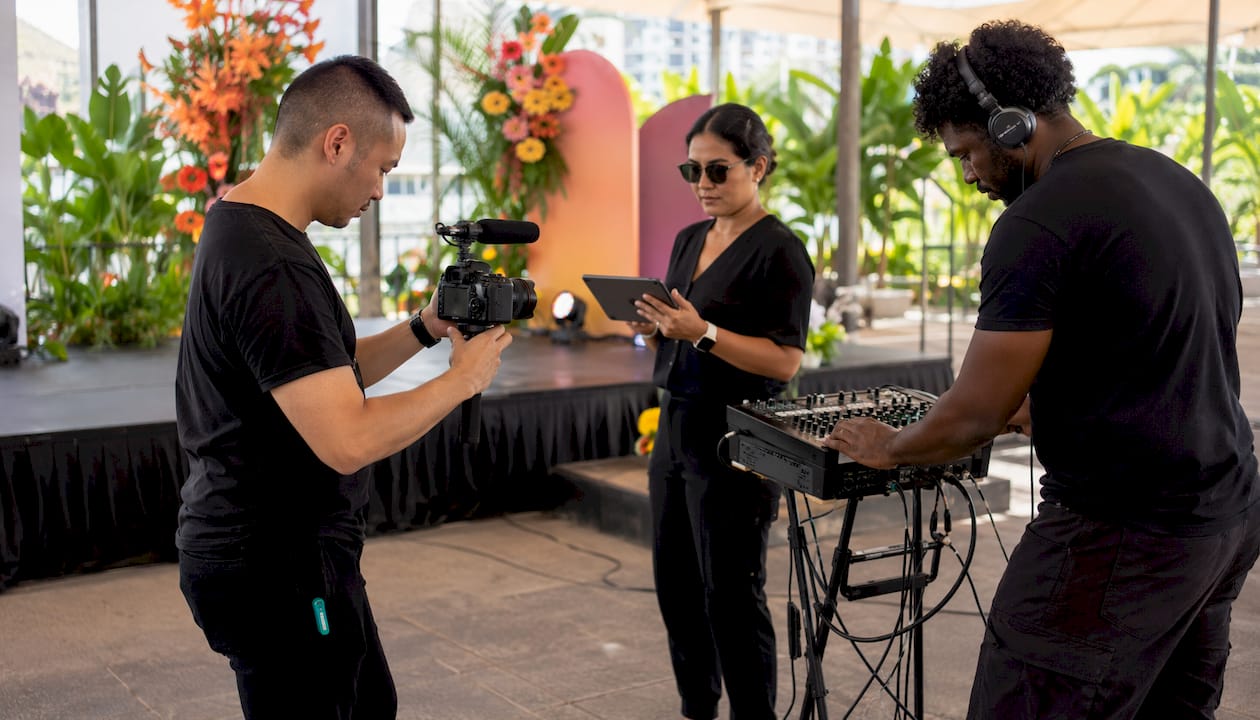
Crew call time should be at least 60 minutes before doors open. Assign fixed camera positions for the main stage and a roaming operator for crowd and B-roll. Designate your asset wrangler to collect phone clips throughout the day. If budget allows, an onsite editor can produce a rough cut before the event ends.
| Workflow | Turnaround | Best For |
|---|---|---|
| AI-assisted (Snipin, Vidyo.ai, Klap) | 48 hours | Speed-first, high-volume events |
| Studio rapid service | 3 days | Polished hero + branded cutdowns |
| Full post-production | 1–2+ weeks | Premium brand films, multi-camera |
AI-driven tools can generate event recaps in minutes or hours by automating transcription, audio balancing, and peak detection. Manual workflows typically take days to weeks depending on footage volume and revision cycles.
| Day | Milestone |
|---|---|
| Day 0 (event day) | Raw footage uploaded to shared folder |
| Day 1–2 | First rough cut or AI-generated draft |
| Day 3 | Client review and feedback |
| Day 4 | Final polish and platform exports |
| Day 7 | Premium package: motion graphics, revisions, final delivery |
The edit is where footage becomes a story. Most highlight reels fail not because the footage is bad but because the structure is wrong.
Open with a hook (seconds 0–7): Start with your most striking visual or your most quotable line. Do not open with a logo animation. The first seven seconds determine whether someone keeps watching or scrolls past.
Three-act micro-arc for the hero recap:
Setup (0–15s): Establish the event, the scale, and the stakes. Wide shots, signage, crowd arriving.
Impact moments (15–70s): Speaker quotes, demo highlights, crowd reactions, applause peaks. This is the core.
CTA/close (70–90s): Next event date, registration link, or a final speaker line that lands the message.
Pacing: Alternate fast cuts during high-energy moments with slightly longer breathing-room shots under important quotes. Music drives this rhythm. Duck the track under speech so words are always intelligible, then bring it back up during B-roll transitions.
Captions: Always burn captions into short-form vertical exports. A significant share of social video is watched on mute, and captions keep viewers engaged through the whole clip. For long-form YouTube uploads, supply a separate SRT or VTT file for accessibility.
Music licensing: Pick tracks that explicitly cover paid promotion and commercial use. Platform-native libraries (YouTube Audio Library, TikTok Sounds) are cleared for their own platforms. For cross-platform use, consider services like Musicbed or Artlist. Unlicensed music is the fastest way to get a highlight reel taken down.
Pro Tip: When you finish the rough cut, drop markers on every applause peak and strong quote timestamp. Build your social cutdowns directly from those markers. It cuts export time significantly.
The right tool depends on your timeline, team skill level, and how much creative control you need. Here is how the main options stack up:
Manual pro editors:
Adobe Premiere Pro: Industry standard for frame-perfect finishing, multi-cam sync, and complex color grading. Best for brand-intensive edits where every frame matters.
Final Cut Pro: Mac-only, fast rendering, and a magnetic timeline that speeds assembly. Strong choice for solo editors working quickly.
AI-assisted tools:
Descript: Transcription-first editing. Cut video by editing the transcript. Strong for interview-heavy highlights.
Vidyo.ai: Detects emotional peaks, applause, and speaker emphasis to surface clips with high viral potential. Auto-reframes exports to 9:16 for Reels and Shorts.
Klap: Instant highlight assembly from long recordings, often under a minute. Supports prompt-driven extractions (“highlight every demo moment”). Best as a first-pass generator before final creative polish.
Snipin: Designed for event recordings specifically. Detects crowd moments, speaker gestures, and stage reactions, then delivers ready-to-post clips within minutes of upload.
Mobile and consumer:
Template marketplaces:
| Tool | Turnaround | Skill Level | Price Model | AI vs. Manual | Export Formats |
|---|---|---|---|---|---|
| Adobe Premiere Pro | Days | Advanced | Subscription | Manual | All formats |
| Final Cut Pro | Days | Intermediate | One-time purchase | Manual | All formats |
| Descript | Hours | Beginner | Subscription | AI-assisted | MP4, SRT |
| Vidyo.ai | Minutes–hours | Beginner | Subscription | AI-first | 16:9, 1:1, 9:16 |
| Klap | Minutes | Beginner | Subscription | AI-first | 9:16, 1:1 |
| Snipin | Minutes | Beginner | Subscription | AI-first | Multiple |
| CapCut | Hours | Beginner | Free/paid | Semi-manual | 16:9, 9:16, 1:1 |
The best production workflows combine AI detection for speed with human review for brand alignment. AI handles detection and rough trims; editors keep final sequencing, pacing, and brand voice. Neither alone produces the best result.
Getting the edit right is half the job. Exporting it wrong means your video looks cropped, pixelated, or gets flagged for spec violations. Here are the specs that matter:
| Platform | Aspect Ratio | Duration Target | File Type | Max File Size | Thumbnail Tip |
|---|---|---|---|---|---|
| YouTube | 16:9 | 60–90s hero | MP4 | — | Event name + logo, high contrast |
| 16:9 or 1:1 | 30–90s | MP4 | — | Face-forward, text overlay | |
| Instagram Reels | 9:16 | 15–30s | MP4 | 4 GB | Stop-frame with faces |
| TikTok | 9:16 | 15–60s | MP4 | — | First-frame hook |
| Email / web embed | 16:9 | 60–90s | MP4 or GIF preview | Varies | Branded still frame |
Social-optimized exports should always include accurate captions, a consistent brand kit (logo, fonts, color), and aspect-ratio reflows so each cut looks native on its target platform.
Publish cadence: Drop the hero reel on day 0 (event day or the morning after). Push speaker soundbites in days 1–3. Release breakout cutdowns in weeks 2–3. Save testimonial posts for week 4 to sustain reach after the initial spike.
Pro Tip: For YouTube, upload your SRT caption file separately rather than relying on auto-generated captions. YouTube’s auto-captions misfire on industry jargon, speaker names, and product terms — exactly the words that matter most in a corporate event recap.
A single event shoot can generate enough footage for a full month of social posts. The content-engine approach — hero recap plus a month of social cutdowns — maximizes ROI by reusing footage across formats. Teams commonly ship a hero recap plus ten social clips within 48 hours to keep momentum.
Content calendar:
| Day / Week | Content Piece | Format |
|---|---|---|
| Day 0 | Hero recap | 16:9 YouTube + 9:16 Reels |
| Days 1–3 | Speaker soundbites (3 clips) | 9:16 TikTok / Reels |
| Week 1 | Attendee testimonial carousel | 1:1 LinkedIn |
| Week 2 | Breakout session bite-sized tips | 9:16 Reels / Shorts |
| Week 3 | Sponsor highlights | 16:9 LinkedIn / YouTube |
| Week 4 | Behind-the-scenes B-roll reel | 9:16 Reels |
Asset management: Keep one shared folder (Dropbox or Google Drive) with a clear naming convention: [EventName]_[Date]_[ClipType]_[Format]. Add a basic metadata CSV listing clip duration, speaker name, topic, and approved status. This speeds both AI ingestion and human search when you are pulling clips weeks later.
Repurpose formats: 16:9 for website and YouTube, 1:1 for LinkedIn feed, 9:16 for Reels, Shorts, and TikTok, and short GIF or PNG moments for email newsletters.
Pro Tip: Schedule your week 2–4 posts before you leave the event. While the footage is fresh and the energy is high, queue the posts in your scheduler. You will not regret it when week three arrives and you are already onto the next project.
Pricing varies widely based on crew size, shoot duration, camera angles, post-production complexity, and motion graphics. Here is a realistic breakdown:
Primary cost drivers:
Crew size and day rate (lead producer, camera operators, audio tech)
Number of camera angles and equipment rental
Audio capture complexity (multi-source mixing vs. single feed)
Post-production craft level and revision rounds
Motion graphics (animated lower-thirds, branded intro/outro)
Music licensing (platform-cleared vs. commercial sync license)
Ballpark ranges:
| Tier | What You Get | Typical Turnaround |
|---|---|---|
| DIY in-house | Software subscriptions only; your team edits | 3–7 days |
| AI-assisted service | Auto-generated hero + cutdowns, basic branding | 48 hours |
| Full-service studio | Polished hero, branded cutdowns, motion graphics | 3 days |
Buyer tip: always request an itemized quote that breaks out shoot day rate, editing hours, motion graphics, music licensing, and delivery format fees. A single line-item quote makes fair comparison nearly impossible.
Studio2uheadshots operates a mobile, on-site model designed specifically for corporate events: financial services conferences, startup summits, PE firm gatherings, and team off-sites. The crew arrives with cameras, audio gear, and a pre-agreed shot list. Footage is ingested into a shared folder the same day.
Deliverables from a standard Studio2uheadshots event engagement:
| Deliverable | Spec | Timeline |
|---|---|---|
| Hero recap | short, 16:9 | five-day turnaround |
| Speaker soundbites | multiple clips, 9:16 and 16:9 | five-day turnaround |
| Social cutdowns | several clips, 9:16 and 1:1 | five-day turnaround |
| Brand kit | Lower-thirds, intro/outro | Delivered with first cut |
The on-site model removes the logistics friction that slows most post-event workflows. Live photo and video viewing during the shoot means clients can flag preferred takes before the crew leaves. Direct asset handoff replaces the multi-email file exchange that typically adds two to three days to any timeline.
Studio2uheadshots’s five-day turnaround for polished deliverables covers the hero recap, speaker soundbites, and social cutdowns. The client vertical focus — financial services, startups, and conferences — means the team understands the brand standards and compliance sensitivities that matter in those industries.
The review cycle is where most timelines slip. A clear process prevents it.
After the first cut is delivered, give stakeholders a single consolidated feedback document rather than email threads. Tools like Frame.io let reviewers leave timestamped comments directly on the video, which eliminates the “at around 0:45, the thing with the logo” problem. Set a 48-hour review window for each pass.
Limit revision rounds to two in your contract or vendor agreement. The first pass catches structural issues (wrong clip order, missing speaker, wrong logo). The second pass handles fine-tuning (color, caption timing, music level). A third pass usually means the brief was unclear at the start, not that the editor missed something.
Before final delivery, run a technical QC checklist: correct aspect ratios for each platform, captions synced and accurate, audio levels consistent across all clips, logo and lower-thirds match brand guidelines, and no unlicensed music. Deliver final files in a clearly labeled shared folder with a README that lists each file name, format, and intended platform.
The difference between a forgettable testimonial and a quotable moment usually comes down to how the question is asked.
Avoid yes/no questions. “Did you enjoy the event?” produces “Yes, it was great.” Instead, ask: “What was the one thing you heard today that you are going to use next week?” That question forces a specific, concrete answer. Specific answers edit cleanly and feel authentic on screen.
Brief your subjects before you roll. Tell them to answer in a complete sentence (not “Like I said…” or “As you mentioned…”) and to ignore the camera after the first few seconds. Most people relax within 20 seconds of talking. The best soundbite often comes at the end of a 45-second answer, not the beginning.
Position interviews in front of event signage or a branded backdrop when possible. This gives every clip a visual context that reinforces the event brand without any post-production work. Avoid windows behind subjects (backlight blowout) and loud ambient areas (HVAC vents, speaker stacks).
Keep interviews short. A 10–20 second usable soundbite is the goal. If someone gives you a 90-second answer, the editor will find the 15-second gem inside it, but it costs time. Coach subjects toward brevity: “Give me the short version first, then we can go deeper.”
A well-executed event highlight video, posted within 48 hours, consistently outperforms delayed recaps and static photo content across every major social platform.
| Point | Details |
|---|---|
| Hero runtime | Aim for 60–90 seconds for the hero recap; cut 15–30s versions for social platforms. |
| 48-hour window | Recaps posted soon after an event pull significantly more engagement than recaps posted weeks later. |
| Shot list discipline | Capture hero shots, crowd energy, B-roll, and 10–20s micro-interviews before you leave the venue. |
| Tool selection | Match the tool to your timeline: AI tools (Snipin, Klap, Vidyo.ai) for 48-hour speed; Adobe Premiere Pro or Final Cut Pro for craft edits. |
| Studio2uheadshots | Provides on-site event capture with a five-day turnaround for hero recaps, speaker soundbites, and branded social cutdowns. |
Most event organizers spend significant time planning an event but often only a short time considering what to do with the footage afterward. That imbalance is where marketing value gets left on the table.
A highlight reel posted on a conference landing page does something a speaker list and agenda cannot: it shows prospective attendees what the room felt like. That emotional proof converts interest into registrations for the next event more reliably than any written description. The hero reel belongs on the registration page, not buried in a post-event email.
The longer-form recap serves a different purpose. It is archival content for attendees who want to revisit sessions, for sponsors who need proof of brand exposure, and for internal stakeholders who were not in the room. Do not try to make one video do both jobs. A 90-second hero and a 10-minute full recap are not competing assets — they serve different audiences at different stages of the funnel.
The content-engine model changes the economics of event production. When one shoot day generates a hero recap, ten social cutdowns, and four weeks of scheduled posts, the cost-per-piece drops significantly. The organizers who treat every event as a content shoot, not just a live experience, are the ones who build compounding audience value over time.
If you are producing a corporate event and need polished video content without the logistics of coordinating a separate production crew, Studio2uheadshots is built for exactly that situation. The mobile on-site team arrives at your venue, captures the hero moments, interviews, and B-roll your editor needs, and hands off assets the same day. No back-and-forth file requests, no waiting a week just to start the edit.
Studio2uheadshots operates a mobile, on-site model designed for corporate events and delivers a five-day turnaround for the hero recap, speaker soundbites, and branded social cutdowns in 9:16 and 1:1 formats, all delivered in a named shared folder ready for your scheduler. The team works regularly with financial services firms, PE conferences, and startup summits, so they understand brand standards, compliance sensitivities, and the fast approval cycles those clients require.
Request a quote or book a consultation to get your next event’s content engine in motion before the event day arrives.
Template and asset libraries:
Envato Elements — editable highlight video templates, animated lower-thirds, and motion graphic packs for Adobe Premiere Pro and Final Cut Pro
Creative Commons music — free, licensed music options for non-commercial and some commercial video use
AI tools for fast clip generation:
Snipin — event-specific AI that detects crowd moments, speaker highlights, and stage reactions; delivers clips within minutes of upload
Klap — instant highlight assembly with prompt-driven extractions; strong first-pass generator
Vizard — emotional peak detection and automatic 9:16 reframing for Reels and Shorts
Craft editing software:
| Tool | Platform | Best For |
|---|---|---|
| Adobe Premiere Pro | Win / Mac | Full creative control, multi-cam |
| Final Cut Pro | Mac only | Fast solo editing, magnetic timeline |
| Descript | Win / Mac | Transcript-based editing, captions |
| CapCut | Win / Mac / Mobile | Social-first, template-driven edits |
Studio2uheadshots:
