Press Release Photo Specs: Size, Format and Captions
%20(1)%201.png)
.png)
.png)
August 27, 2026
%20(1).jpg)

Press kit photos are the professional images (headshots, product shots, event coverage, and logo files) that a company packages for media use in stories, features, and announcements. The single most important thing you can do is supply high-resolution files with clear captions and photographer credits attached to every image. Skip that step and even great photography gets passed over by editors on deadline.
TL;DR:
- Providing high-resolution press images with clear captions and photographer credits is essential to avoid rejection by editors with tight deadlines.
- Organizing assets into labeled folders with consistent naming, captions, and usage guidelines increases media pickup and simplifies quick access.
- Shooting photos with adequate negative space and multiple crop options enhances their usability across digital and print media.
- Delivering a complete, well-structured media package through ZIP or cloud folders in a five-day turnaround helps teams prepare for launches without managing production themselves.
- Understanding the differences among press kits, media kits, and EPKs ensures the right assets are produced and delivered for various publicity needs.
A standard corporate press kit leans on a handful of core asset groups, organized into clearly labeled folders so an editor can grab what they need in seconds. Here’s the working checklist we recommend to marketing teams before any shoot:
Skip any of these categories and you’re forcing a reporter to either use a weak substitute or skip your story’s visual entirely.
Editors need options, not one perfect file. Provide high-quality JPG or TIFF files for photography and PNG or SVG for logos, and always deliver both a web-optimized version and a print-ready original. For print, aim for 300 DPI; for digital use, a longest edge of 2,500 to 4,000 pixels is a practical target that holds up on most screens and in most layouts.
Real press centers make this easy to benchmark. Blizzard’s Diablo IV launch kit lists individual image files ranging from roughly 1MB to 75MB, each labeled by crop and resolution so an outlet knows exactly what it’s downloading before it clicks. That level of transparency is worth copying.
Every file should carry a consistent naming convention, a one-line caption, and photographer credit in its metadata. Bungie’s press room follows the same pattern, publishing multiple crop variants of the same key art so editors never have to reformat on their end.
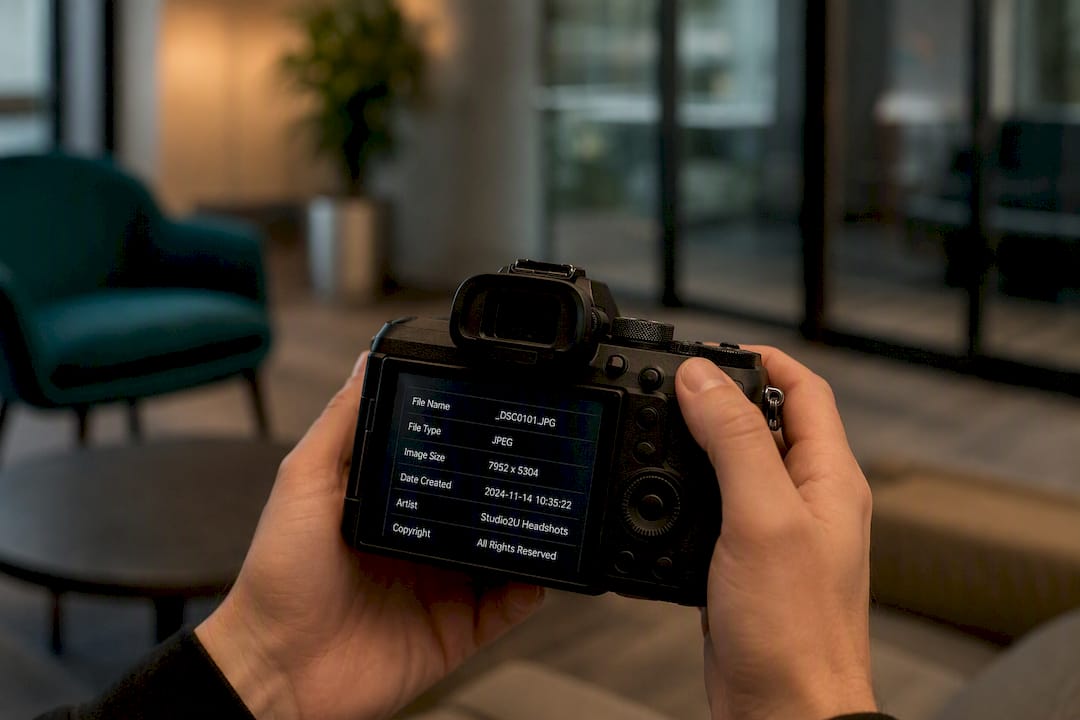
Composition decisions made on set determine whether an image gets used at all. The single most overlooked rule: leave negative space in the frame so an editor can drop a headline, logo, or lower third over the image without covering your subject’s face.
Before the shoot, lock in these essentials:
Pro Tip: Back up files to a second drive the moment the card comes out of the camera. A lost card after a one-day executive shoot means starting over, and executives rarely have a second hour to give you.
Journalists move fast, and a disorganized folder costs you the pickup. Structure delivery like this:
smithjane_headshot_v2.jpg.captions.txt or metadata.csv file listing each image’s caption, photographer credit, and a contact person for follow-up.This mirrors what Hopper’s public press kit and Nuro’s media kit both do: foldered assets, clear naming, and logo files with usage guidelines sitting right at the top where nobody has to hunt for them.
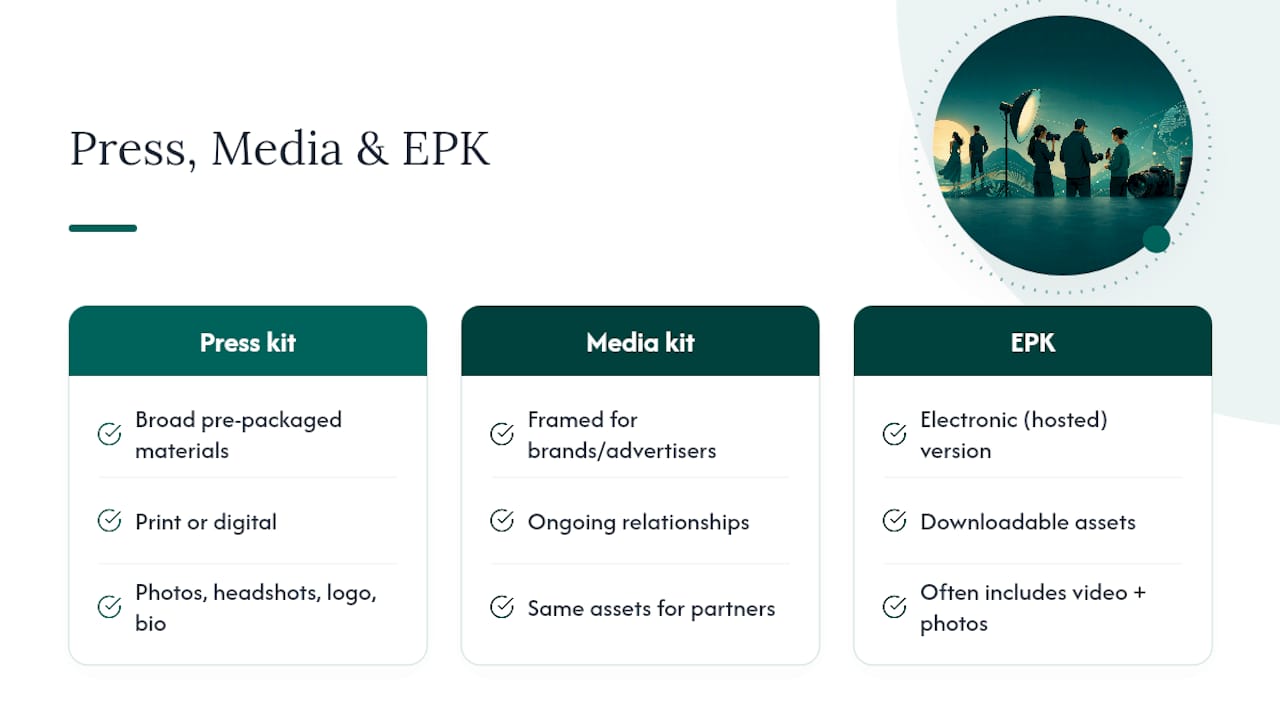
These three terms get used interchangeably, but they’re not the same deliverable. A press kit is the broad category of pre-packaged promotional materials sent to media. A media kit usually refers to the same thing framed for ongoing brand or advertiser relationships. An electronic press kit (EPK) is the digital version, typically hosted online with downloadable assets, and often includes video alongside photos.
For routine press mentions or a quick executive quote, photos alone usually cover it: headshots, a logo file, and a short bio. For a product launch or major campaign, expand to a full EPK with video, a press release, quotes, and background documents layered on top of the photo assets. Matching the deliverable to the moment saves your team from over-producing for a small story or under-delivering for a big one.
Not every photographer understands editorial needs. Look for someone with actual experience delivering to press or media outlets, comfort producing multiple file formats and crops from a single session, a fast turnaround commitment, and clear language around usage licensing before you sign anything.
A solid brief includes:
Watch for vague timelines, licensing language that’s unclear about who owns the final files, or a portfolio with zero editorial or corporate work. Studio2U structures every corporate shoot around a five-day turnaround with retouching and licensing built in, which is the kind of clarity worth benchmarking any vendor against. For more on vetting a photographer specifically for executive portraits, this guide on choosing an executive headshot photographer covers useful ground.
Pro Tip: Ask any photographer or studio how they handle file delivery when a request gets modified mid-project. The answer tells you more about how they’ll perform under a real deadline than their portfolio does.
Most press kits fail for a boring reason: missing credits, wrong crop, or a file too small to run in print. Reporters don’t chase down a marketing team to fix a caption; they just skip the image. The teams that get consistent pickup treat photo assets the way they’d treat a press release, with the same attention to accuracy and completeness. One practical shift makes the biggest difference: build the folder structure and caption file before the shoot happens, not after.
— Kevin
Building a press kit photo library from scratch, coordinating a photographer, chasing retouching, and sorting crops for print versus web, eats time most marketing teams don’t have during a launch week. studio2U handles the entire production on-site at your office, event, or conference, delivering headshots, team photography, product-in-action shots, and event coverage as one coordinated shoot instead of five separate vendor conversations.

Every package comes back within five days, retouched and organized into the same kind of labeled, multi-format folders outlined above, ready for PR, fundraising decks, recruiting pages, and your website at the same time. Marketing teams get one shoot that produces assets for every channel that needs them, rather than commissioning separate photography for each use case. If you have a launch, funding announcement, or conference on the calendar, book a shoot with studio2U now so your press kit photos are ready before the news breaks, not scrambled together after.
Study real press centers before building your own. Hopper’s public press kit shows clean foldered delivery, Nuro’s media kit demonstrates strong logo and identity documentation, and Otter.ai’s media kit pairs executive photos with clear contact info for permissions.
A standard press kit includes executive headshots, team and product photography, logo files in multiple formats, a company boilerplate, and contact information for media inquiries, all organized into labeled, downloadable folders.
A press kit is the general category of promotional materials sent to media; an EPK is its digital, downloadable version, often expanded to include video alongside photos and documents.
Start by gathering high-resolution headshots, product and event photography, and vector logo files, then organize them into clearly named folders with a caption and credit file, delivered as a ZIP or cloud link. Studio2U produces this entire asset set in one on-site session with a five-day turnaround.
The two terms are largely interchangeable, though “media kit” more often describes an ongoing brand resource for advertisers or partners, while “press kit” typically refers to materials assembled around a specific announcement or story.
